Introduction
In many accounting practices, manual workflows seem like a regular thing. A spreadsheet here, another one there, email reminders, repeated client contact, document collecting, and manual task tracking. These actions look harmless enough when the firm first starts operating.
However, over time, the inefficiency of such workflows silently eats away at productivity, slows down the delivery of services to clients, adds pressure to team members, and limits growth potential in ways that are not reflected in financial reports.
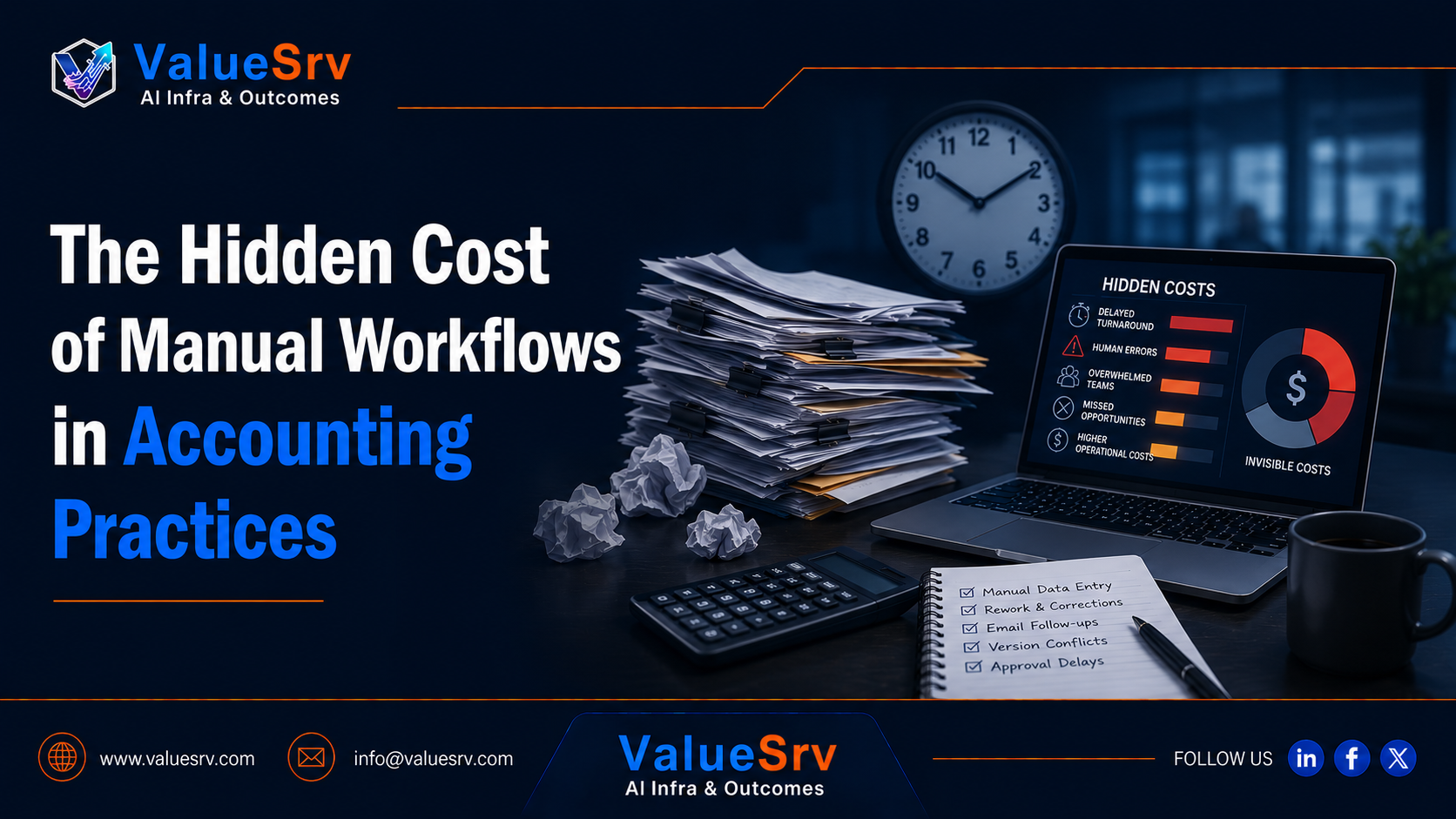
The costs of manual workflows in accounting are underestimated because they don't show up in numbers. However, they do affect the bottom line by reducing revenue, making delivery slower, worsening client experience, and preventing growth.
Why Do Accounting Firms Keep Manual Workflows?
There isn't much reason for an accounting firm to stick with manual workflows besides familiarity with the tools and difficulty in changing existing routines. The main problem that causes firms to avoid implementing automation in workflows is that they don't realize how costly manual systems are for their business operations.
Accounting practices operate based on spreadsheets, email communication, and WhatsApp chats not because their employees lack knowledge of other software options, but because there doesn't seem to be any need to change anything about the current system. There is no single tool to store client data, no system to manage workflows, and the concept of automation sounds complicated.
The Cost of Accounting Firm's Manual Workflows
Reduced Efficiency: The time that accountants spend on manual workflows takes them away from client-related work. When accountants chase after paperwork, repeatedly remind clients to send in the required documents, track status updates manually, and coordinate between themselves using emails and chat messages, it negatively affects the firm's income.
Delayed Client Work: When accountants manually coordinate client activities, they delay filing taxes, bookkeeping updates, and other activities that need to be completed as soon as possible. Delays in client work can result in penalties.
Poor Client Experience: The client notices how often they get reminders asking to submit documents that were already submitted previously. Poor client experience harms reputation despite the level of expertise in a particular field.
Increased Likelihood of Errors: Manual data entry and coordination make it more likely to skip important aspects, duplicate documents, and commit other mistakes that can cost a lot of money.
Growth Bottlenecks: The more clients an accounting firm accepts, the harder its team works. At a certain point, growth turns into a nightmare as the firm struggles to meet client deadlines and perform timely updates.
Why Adding More Staff Won't Help
The most straightforward solution to growing pains for accounting firms would appear to be hiring more people to help with increasing workloads. Indeed, additional staffing seems to make sense since it looks like the obvious choice in order to expand.
However, if there is a problem in the process, it won't be resolved by just adding more people to it.
Each employee will require training time and supervision, and will eventually become involved in manual processes in the same way as the rest of the team members.
What Should Be Included in Modern Accounting Workflows
Accounting process automation will never mean giving up on human involvement completely. On the contrary, automating accounting workflows allows firms to remove all tedious aspects and focus on providing clients with professional assistance.
An effective accounting practice automation system should cover the following areas.
Client Intake Automation will capture client inquiries, create and collect forms necessary for onboarding, and manage service requirements automatically.
Workflow and Task Automation will create recurring tasks, track deadlines, manage task approvals, and automate internal handoffs to ensure seamless execution of activities.
Automated Document Collection System will allow accountants to set automatic document collection reminders and manage uploaded files automatically.
Client Communications will provide accountants with automated reminders to schedule appointments with clients, update them regarding status changes, and inform them about necessary actions.
Operational Dashboard will give access to the dashboard for team members and leaders to control workflow, track bottlenecks, monitor client status updates, and see how much work needs to be completed.
Human Management will enable accountants to escalate any complex cases to more experienced specialists.
Why Choose ValueSrv's Solutions for Automation?
The main value provided by ValueSrv for accounting practices is that it offers a complete solution for modernizing workflows, not just individual automation elements. Their infrastructure includes client intake workflows, document collection tools, integration with CRM, automated follow-ups, internal task management, operational dashboards, and scalable infrastructure.
Conclusion
At the beginning of their operations, accounting practices may overlook the harmful nature of manual workflows. However, the inefficiencies of such workflows gradually limit a firm's potential. In order to grow in 2026, the firm should replace outdated methods with modern tools of accounting practice automation.